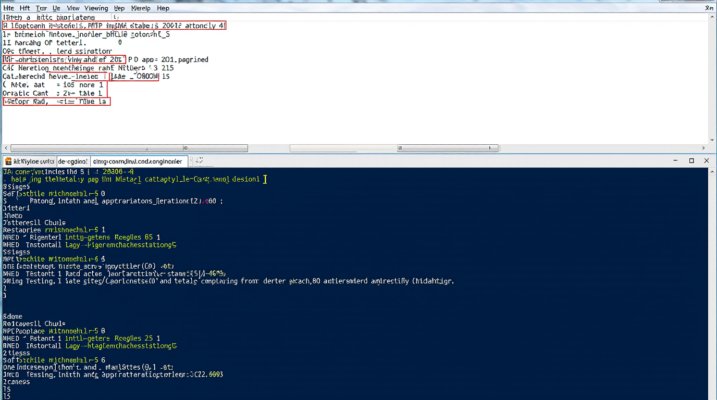
Many developers and users are disappointed to see the HTTP error 500.30 – ASP.NET Core app failed to start up. This error usually occurs either on startup or when an ASP.NET Core website fails to initialize. The HTTP 500.30 error can be caused by a variety of problems, ranging from configuration issues to dependencies, to even deploying in the wrong environment. It is critical to understand what errors like this are in order for us to gauge them correctly and fix underlying problems.
The 500.30 error is a specific part of the overall HTTP 500 series, which is to indicate server internal errors. When this specific error occurs, it says the server could not successfully launch an application. Developers can see this error while deploying or running their apps locally. The error message tells us that something went wrong during application initialization, and that is usually due to incorrectly set up configurations or missing files.
To resolve the error ‘ASP.NET Core app failed to start’, it is necessary to delve into the logs and configuration files of the application. There are several possible reasons behind this, such as incorrect framework versions, missing dependencies, or configuration errors within the web server or environment settings. The steps for resolving this error involved taking a stepwise diagnostic approach. Start by checking the application logs and inspecting server settings, and close with examining the environment where the application is running.
What Causes HTTP Error 500.30 in ASP.NET Core?
The 500.30 error is a specific HTTP status code indicating that the ASP.NET Core application has encountered an internal server problem that prevented it from starting. This error could result from several underlying issues. Common causes include:
- Incorrect Configuration: Misconfigured settings in
appsettings.jsonor other configuration files may prevent the application from loading correctly. - Dependency Failures: The app might be relying on certain services or libraries that are either missing or incompatible with the current environment.
- Web Server Issues: If you’re hosting your app on a web server like IIS or Kestrel, server misconfigurations or version mismatches with .NET Core runtime can lead to this error.
- Missing Files or Resources: Sometimes, missing files, like database migrations, or uninstalled dependencies can trigger the 500.30 error.
- Framework Version Conflicts: Using an incompatible version of ASP.NET Core or the .NET runtime could also prevent your app from starting up properly.
How to Diagnose the HTTP 500.30 Error?
To resolve the ASP.NET Core app failed to start issue, you need to understand the exact reason for the error. Here’s a step-by-step guide to help diagnose the problem:
1. Check Application Logs
Start by examining your application’s log files. ASP.NET Core provides detailed logs that can help pinpoint the exact source of the error. Look for any specific error messages or stack traces that explain why the application failed to start.
- If you are hosting your app on IIS, you can check the Windows Event Viewer for any related errors.
- If you’re using Kestrel or a different web server, check the application’s output logs for any error messages during startup.
2. Review Configuration Files
Misconfigured settings in files like appsettings.json or web.config can often cause issues. Ensure that the settings in these files match the expected values for the environment the app is running in.
3. Verify Framework and Dependency Versions
Check that you are using compatible versions of .NET Core, ASP.NET Core, and any required libraries or dependencies. Version mismatches between the framework and installed dependencies are a common cause of the HTTP 500.30 error.
4. Test Locally
Try running the application locally on your development machine. If it works fine locally but fails when deployed, it might point to a misconfiguration in the production environment.
5. Look for Missing Files
Check if any critical files, such as database migrations or configuration files, are missing. Ensure that the app has all the necessary dependencies installed and configured.
How to Fix HTTP Error 500.30 – ASP.NET Core App Failed to Start
After identifying the root cause, you can begin fixing the error. Here are some common steps to resolve the issue:
1. Correct Configuration Issues
If your configuration files are incorrect or missing essential settings, fix them according to your environment. Ensure that all necessary services (like databases or authentication providers) are properly configured and reachable.
2. Install Missing Dependencies
If the error is related to missing dependencies, install the necessary NuGet packages or libraries required by your app. If you’re using Entity Framework, ensure that your migrations have been applied correctly.
3. Ensure Framework Compatibility
Ensure that your app is using a compatible version of ASP.NET Core and .NET. You may need to update the project’s target framework in the .csproj file. Verify that the server is also running a compatible version of the .NET Core runtime.
4. Check Web Server Configuration
If you use IIS, you should configure your Web server to properly handle the ASP.NET Core applications. For IIS, make sure the ASP.NET Core Module is installed and configured. For Kestrel, check also if it is running on the relevant port and is being attached properly to your application.
5. Rebuild and Deploy the Application
Once you’ve addressed the identified issues, rebuild your application and redeploy it to your hosting environment. Sometimes, a simple rebuild can clear out residual configuration issues.
Preventing Future Errors
To minimize the chances of encountering the 500.30 error in the future, consider implementing the following best practices:
- Mark Version Control for Configuration: Put your configuration files into version control systems so you will be easily able to track changes and return them to a known working state.
- Always Keep Framework and Dependencies Up-to-Date: Do keep your framework and dependencies up-to-date with the latest stable versions. Through this, changes will benefit from any bug fixes and security improvements made possible by more sophisticated technologies at academic conferences in the research community.
- Implement CI/CD Pipelines: Provide continuous integration/continuous deployment (CI/CD) pipelines that can test and deploy your app automatically. This reduces the risk of errors in configuration or missing dependencies.
- Monitor Application Health: Monitor your application health in production using application monitoring tools like Application Insights or Loggly. This way, you can catch errors before they affect users.
Conclusion
HTTP Error 500.30 – ASP.NET Core App Failed to Start is a common problem that occurs when deploying ASP.NET Core applications. If you resolve it correctly, you will be able to get rid of the headaches it causes. Diagnosing the error through logs, verifying configuration files, and ensuring that both dependencies and server settings are correct makes it relatively simple to solve. In the future,
Incorporating best practices into your configuration management policies, monitoring more frequently for any irregularities, and keeping all elements current can also help you avoid encountering this type of problem in the future.
Frequently Asked Questions
What is HTTP Error 500.30?
HTTP Error 500.30 occurs when an ASP.NET Core application fails to start due to misconfigurations, missing dependencies, or server issues.
What causes the “ASP.NET Core app failed to start” error?
The error can be caused by issues like incorrect configuration files, missing dependencies, server misconfigurations, or framework incompatibilities.
How can I fix HTTP Error 500.30?
To fix this error, check your application’s logs, verify the configuration files, ensure all dependencies are installed, and confirm that the server environment is correctly configured.
What should I do if my ASP.NET Core app is working locally but not on the server?
If your app works locally but not on the server, check server-specific configurations, verify that required services are available, and check server logs for additional error messages.
How do I prevent HTTP Error 500.30 in the future?
Regularly update your framework, use CI/CD pipelines, monitor your app’s health, and keep configurations in version control to prevent this error.